
N2 56-Compartment Smart Consumables Sub-Cabinet
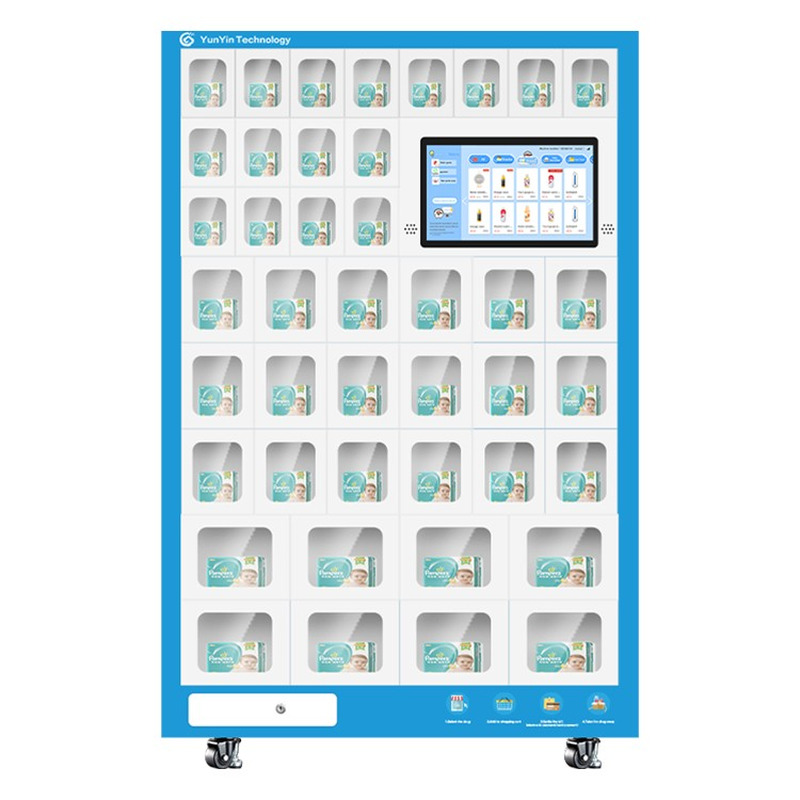
Size: 1864(H) × 1000(W) × 370(D) mm
Weight: About 200 kg
Display: No screen — operated from the main unit or by QR code scanning
Compartments: 56 compartments in total
Small Compartments: 127(W) × 120(H) × 300(D) mm, 42 pcs
Medium Compartments: 233(W) × 117(H) × 300(D) mm, 6 pcs
Large Compartments: 297(W) × 120(H) × 300(D) mm, 8 pcs
Capacity: 56 items
Control Board: Cabinet lock control board with built-in 4G module and light brightness adjustment
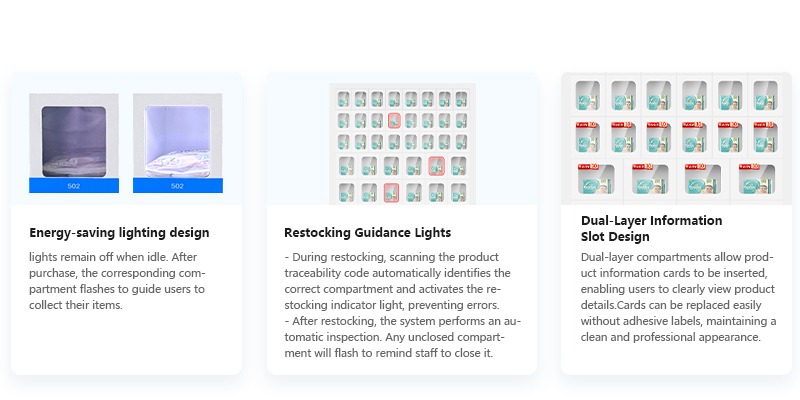
Restocking Guidance: Scan the traceability code and the target compartment lights up; unclosed doors flash after restocking
Information Slots: Double-layer hollow compartments for printed information cards
Lighting: Compartment lights switch off automatically when idle and flash after purchase
Network: 4G IoT card, shared system with the main unit
Power: About 100 W
Voltage: AC220V / 50Hz with anti-electric shock protection
Front View, Actual Unit
N2 56-Compartment Smart Consumables Sub-Cabinet photographed on a white background: the front face, the compartment layout and the base as it leaves our plant. Height 1864 mm, depth 370 mm — it lines up against a corridor wall rather than standing in a room.
No video for this unit yet. Tell us the ward and we will film a real issue: scan, door opens, item out, record written to the backend.
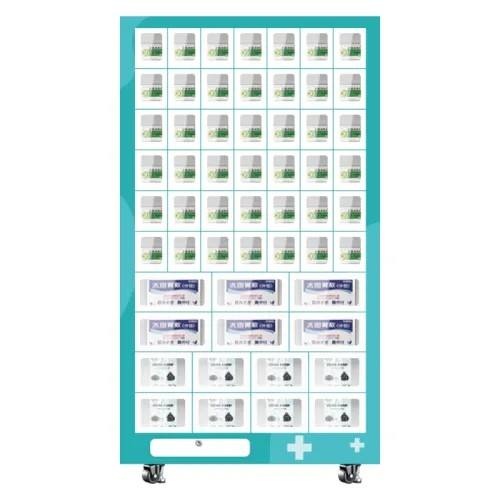
Fifty-Six Doors, One Scan
Every compartment on this cabinet is a door with its own lock and its own light. 42 small (127×120×300 mm) for the items that move daily, 6 medium and 8 large for the boxed stock that moves weekly.
The point of 56 doors is not variety, it is control: each door belongs to one product, so a shortage is visible before the shelf is empty and a wrong item cannot be put back in the wrong place.
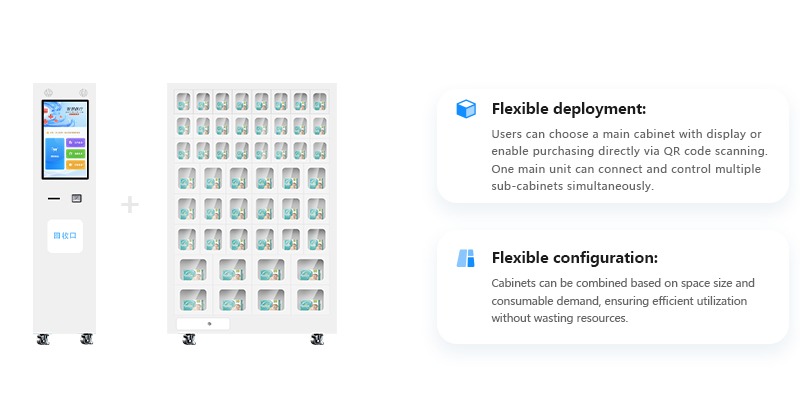
One Screen, as Many Cabinets as the Ward Needs
The main unit and the sub-cabinets are separate products for a reason. A small clinic starts with one main unit and one sub-cabinet; a 600-bed hospital adds sub-cabinets ward by ward, on the same backend, without buying another screen.
Sub-cabinets can also run without a screen at all — the nurse scans a QR code and the compartment opens. That is how a corridor with no power socket for a display still gets a locked, traced cabinet instead of a shelf.
The Main Unit This Cabinet Plugs Into
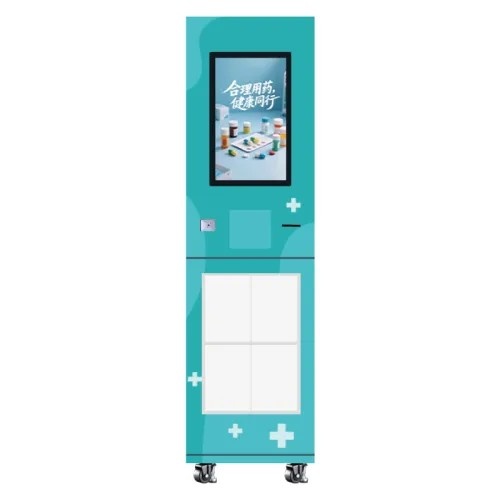
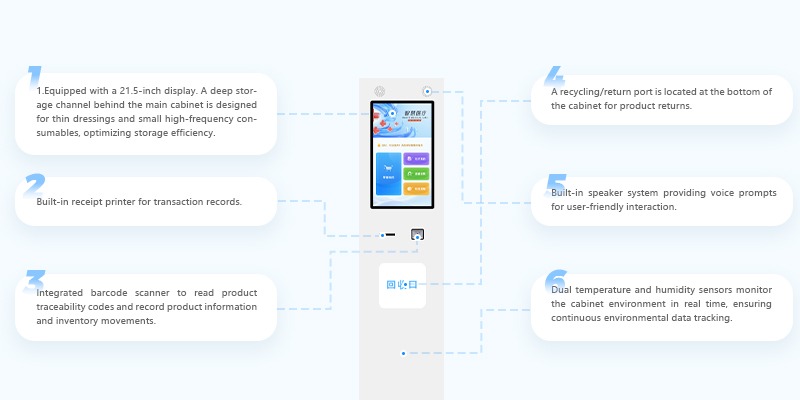
The picture shows the N1 main unit next to the sub-cabinet, because that is how they are sold and installed: one screen on the left, one 56-door cabinet on the right, one system.
This cabinet has no screen of its own. Staff either use the main unit or scan a QR code at the door, which is why it can go where there is no socket for a display — a treatment room, a corridor end, a ward store.
The Cabinet Tells the Nurse Which Door to Open
Restocking with a paper list is how a cabinet ends up with the wrong item behind the wrong door. Here the nurse scans the product code and the target compartment lights up; after restocking, any door left open flashes until it is closed.
Two more details in the same picture: compartment lights switch off when nobody is there, and each door has a double-layer slot for a printed information card — replaceable, instead of stickers that go yellow after a month.
Scan the Box, Not the Paperwork
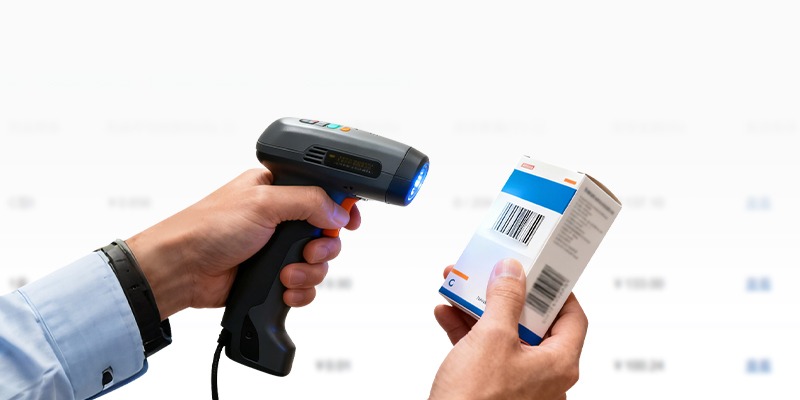
The inverse barcode scanner reads the traceability code on the pack itself. That single scan writes the batch number, the expiry date and the movement into the system — no manual entry, no transcription error, no missing link when a batch is recalled.
For a distributor or a hospital group bidding on a supply contract, this is the function that answers the question “can you prove where this box came from”. The answer is a record, not a promise.
Returns Go Through the Main Unit
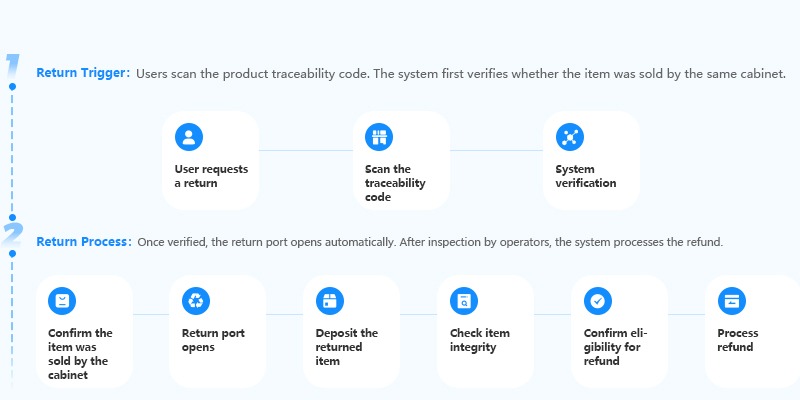
The return slot and the printer live on the N1 main unit; this cabinet supplies the stock. A patient scans the code on the main unit, the return port opens, and the item is credited back against the same record.
That is deliberate. One return point per site is easier to control than four, and it keeps the printed voucher — the GSP evidence — in one place.
Expiry Dates Enforced by the System, Not by Memory
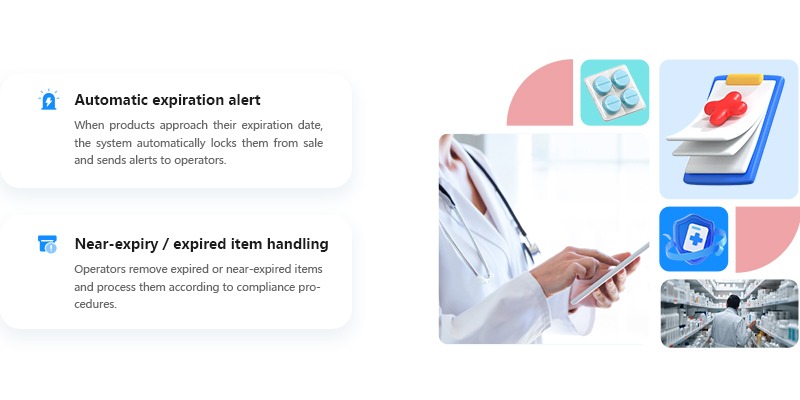
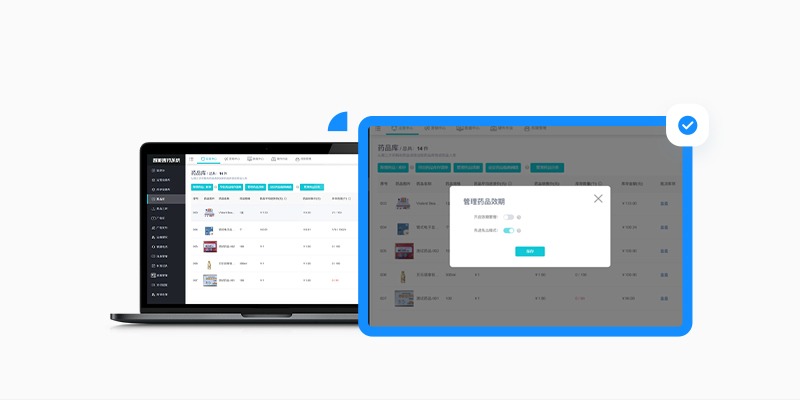
When a product approaches its expiry date, the system locks it out of sale automatically and alerts the operator. Near-expiry and expired items go through a separate handling flow instead of sitting in the cabinet until someone notices.
This is the difference between a stock rotation policy on paper and one that actually runs. Nobody has to remember which batch is oldest — the cabinet refuses to sell it.
The Purchasing Manager Sees Stock Before the Shelf Is Empty
The backend shows stock by compartment, movement history, expiry status and consumption by department — on a laptop, not on a clipboard. Replenishment lists come out of the system rather than out of someone’s head.
For a group running cabinets across several buildings, that is the view that turns twenty separate stock rooms into one inventory. You order against real consumption instead of a monthly estimate.
34°C Outside, 20°C Inside — and It Logs It
Dual temperature and humidity sensors monitor the cabinet in real time, with the readings written into the record rather than shown on a display and forgotten. The threshold is set by the pharmacy, and any excursion raises an alert.
Storage conditions are exactly what an inspector asks to see for temperature-sensitive consumables, and exactly what a paper logbook cannot prove. Here the log is generated by the cabinet itself.

The Doctor Writes It, the Patient Collects It
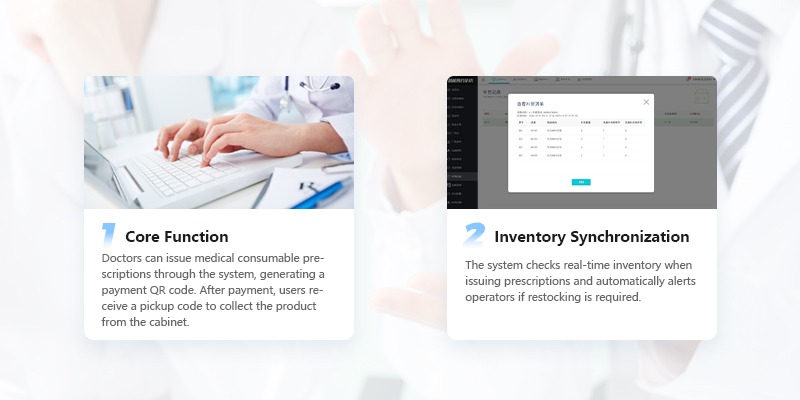
Doctors issue the consumable or prescription in the system, a pickup code is generated, and the patient collects from the cabinet without standing at a counter. Stock is checked at the moment of issue, and the operator is alerted when a line falls below its reorder point.
This is where the cabinet stops being a storeroom and becomes part of the clinical workflow. Fewer trips to the dispensary, fewer phone calls to check stock, and no patient sent to a shelf that turned out to be empty.
Who Can Open What, and Who Pays for What
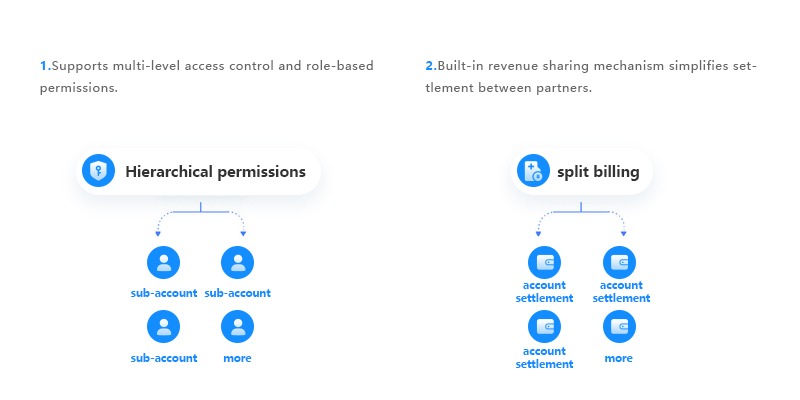
Access is hierarchical: a department head creates sub-accounts, each sub-account only sees its own cabinets and its own items. Split billing settles each department or each partner separately, with the settlement record kept alongside the movement record.
That is what makes a shared cabinet workable between a hospital and a supplier, or between two departments that both use the same corridor. Nobody argues about whose stock it was, because the system already knows.
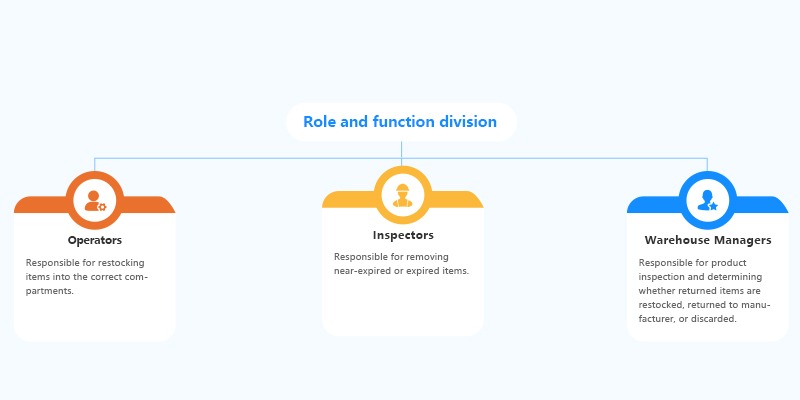
Three Roles, One Cabinet
Operators restock and place items in the right compartment. Inspectors remove near-expiry and expired stock and check quality. Warehouse managers decide what gets returned, sent back to the manufacturer or written off.
Each role gets its own permissions and its own record, so a stock discrepancy has an owner instead of a general suspicion. For a hospital procurement team, that is usually the reason they choose a system rather than a locked cupboard.